
Customers and items, ready to use
Keep contact details, prices, quantities and tax rates close to your invoices.
 BillsInvoice Maker
For freelancers and small businesses
Turn your customer and item lists into PDF invoices. Keep track of what’s paid, what’s due and what comes next.
Free on Windows · x64 and ARM64
From your first invoice
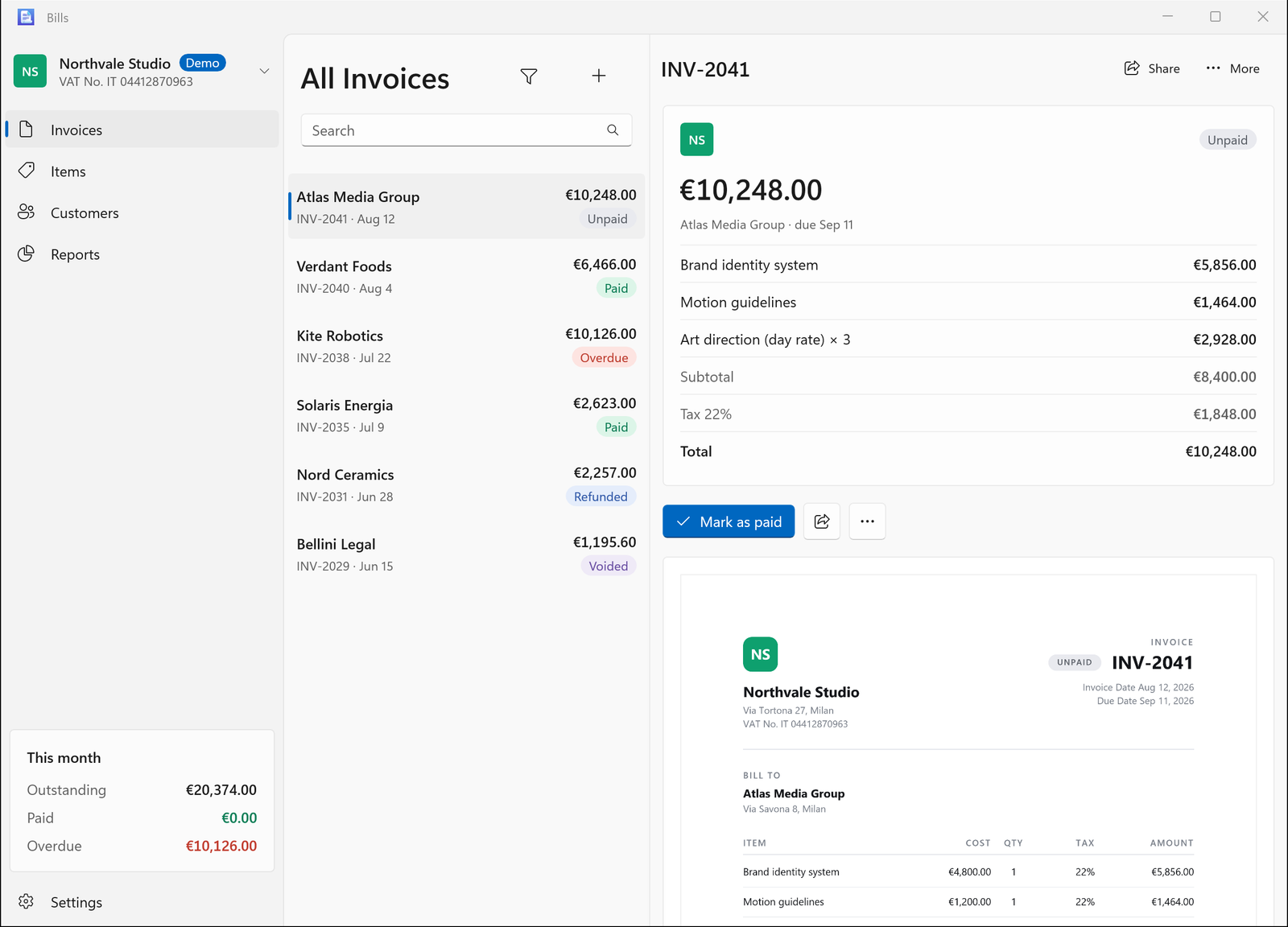
Save the details once. Use them again when the next job is ready to bill.
Keep contact details, prices, quantities and tax rates close to your invoices.
Filter by unpaid, paid, overdue, refunded or voided. Set payment terms, due dates and notes.
Separate companies have their own customers, numbering, currency, regional formats and templates.
Your brand on the page
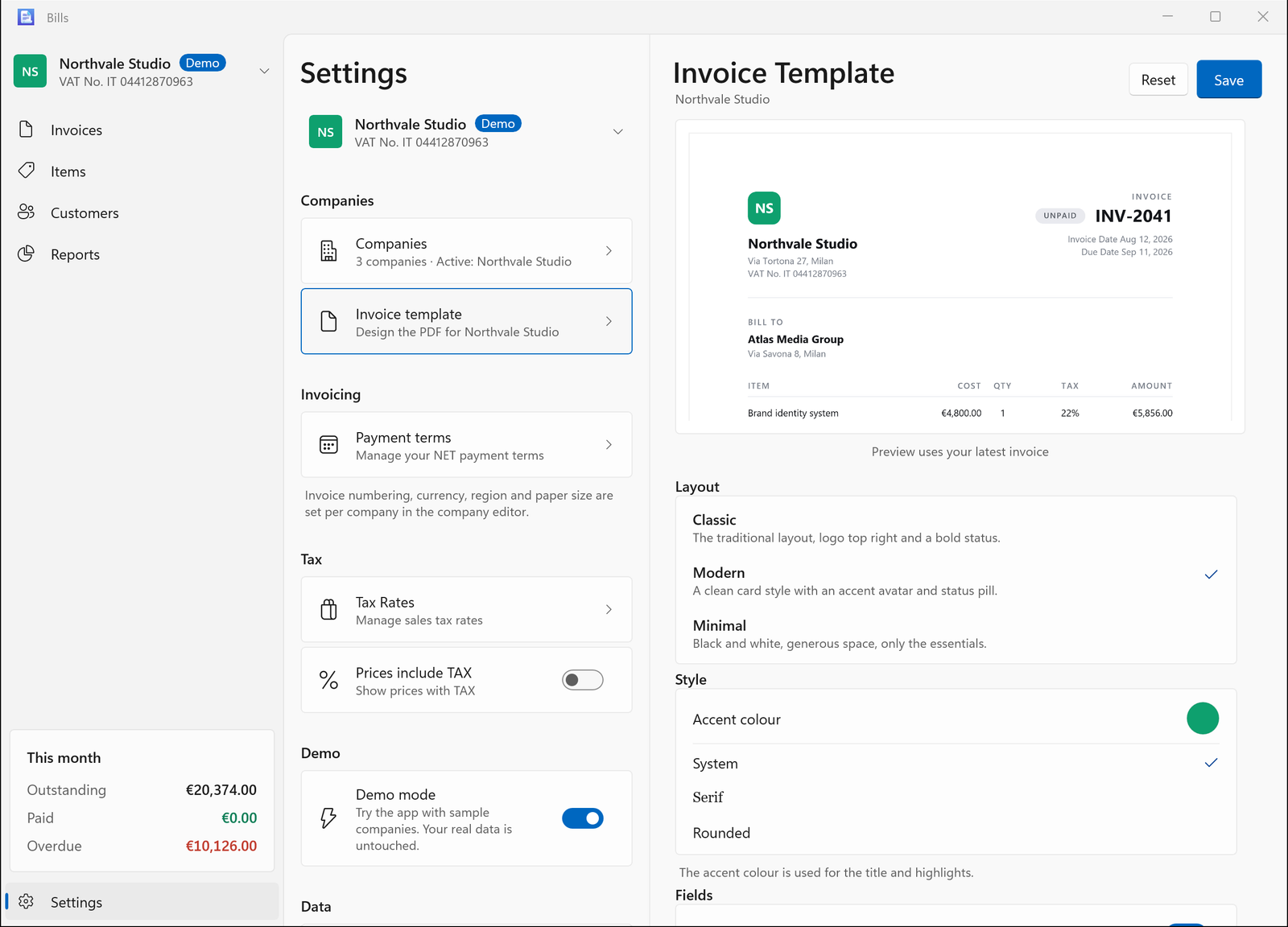
Choose Classic, Modern or Minimal. Add your logo, choose a colour, adjust labels and include the payment details your customers need.
Preview as you edit, then save, print or share. A4 and Letter paper sizes are supported.
The bigger picture
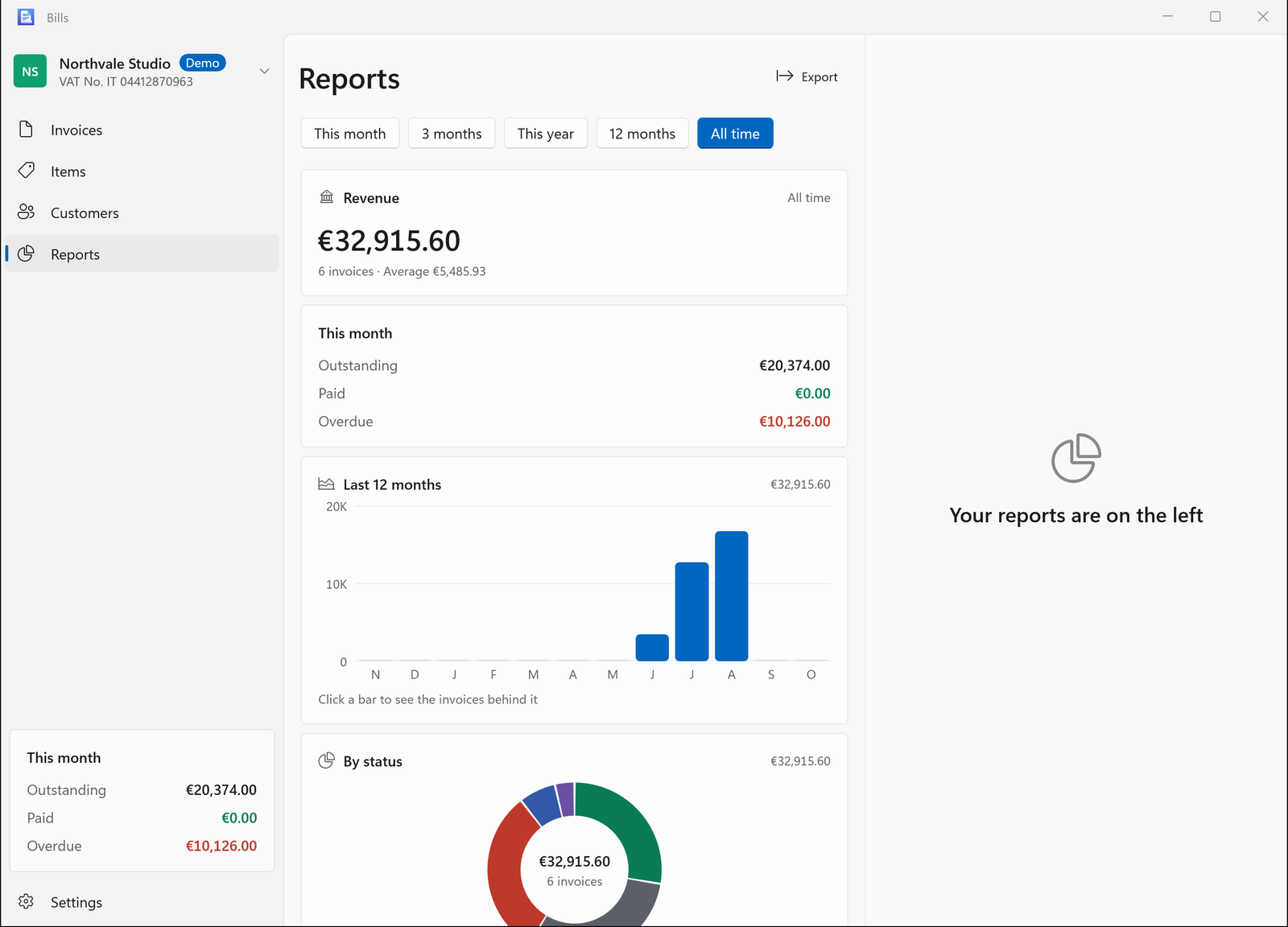
Review revenue, outstanding payments, invoice status, customers, items and tax. Open the invoices behind a report and export CSV or PDF when you need a copy.
Explore Bills for Windows ↗Get Bills
The same invoicing essentials, made for your desktop, tablet or phone.
Free on the Microsoft Store for Windows 10 and 11. Portable ZIPs are also available for x64 and ARM64 PCs.
Get from Microsoft Store Portable downloads and setup ↗Find the Apple edition under this name on the App Store. iCloud keeps your Apple devices in sync.
View on the App StoreSee the App Store for device compatibility.
Windows can import and export Bills JSON files. Moving records between Apple and Windows requires an Apple version with JSON data transfer. Windows stores data locally and does not automatically sync with iCloud. Demo mode keeps sample records separate from your own.
A question before you start?